![swipedon-orange.png]](https://www.swipedon.com/hs-fs/hubfs/swipedon-orange.png?height=40&name=swipedon-orange.png)
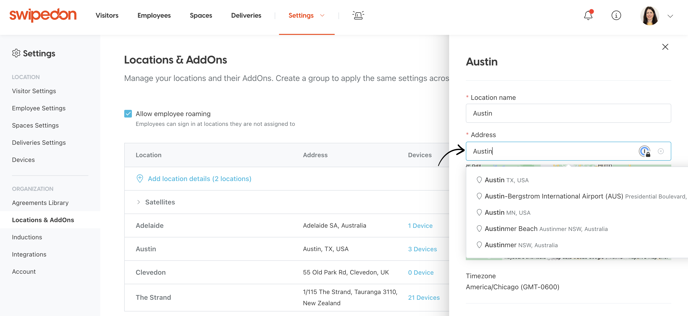
When adding or changing the address associated with a location, the location permissions will need to be enabled in order to search on the address.
How to enable location permissions
-
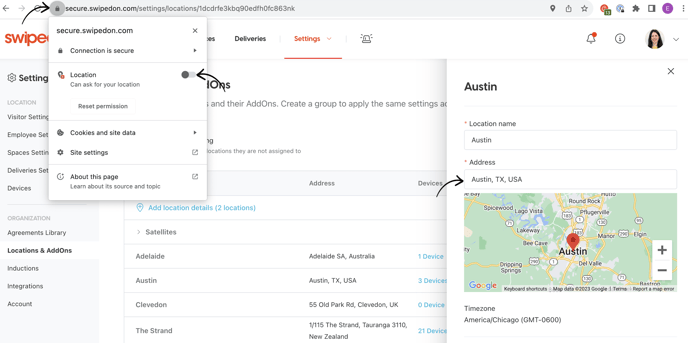
To enable location permissions for this purpose, click on the lock icon on the web browser as shown below.
-
Slide the location slider to on or simply click "Reset permission"
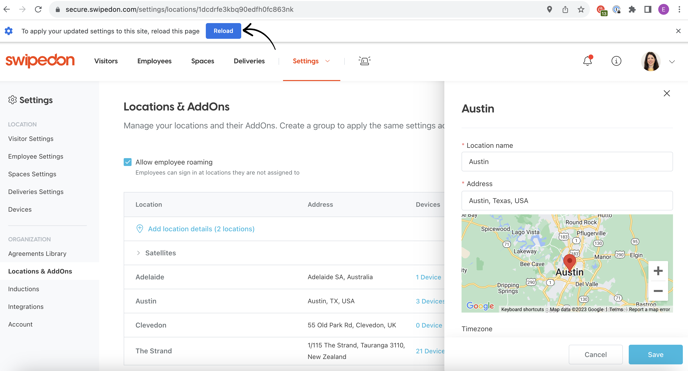
- Once enabled, you will see the banner at the top prompting 'Reload' to apply your updated settings, as shown below. Click on this.
-
Once enabled, the address will then populate with a list of more suitable options to select from and set against the location.