![swipedon-orange.png]](https://www.swipedon.com/hs-fs/hubfs/swipedon-orange.png?height=40&name=swipedon-orange.png)
How to apply the SwipedOn update
- On the Android tablet, navigate to the Google Play store.

- Tap on 'Search' and type in SwipedOn, tapping on 'SwipedOn | Visitor Management'.
- Tap on the 'Update' button, wait for this to apply and then tap 'Open' to relaunch the app.
How to enable auto-updates
-
On the tablet, navigate to the Google Play Store and tap on 'Apps' to the left of the screen.
-
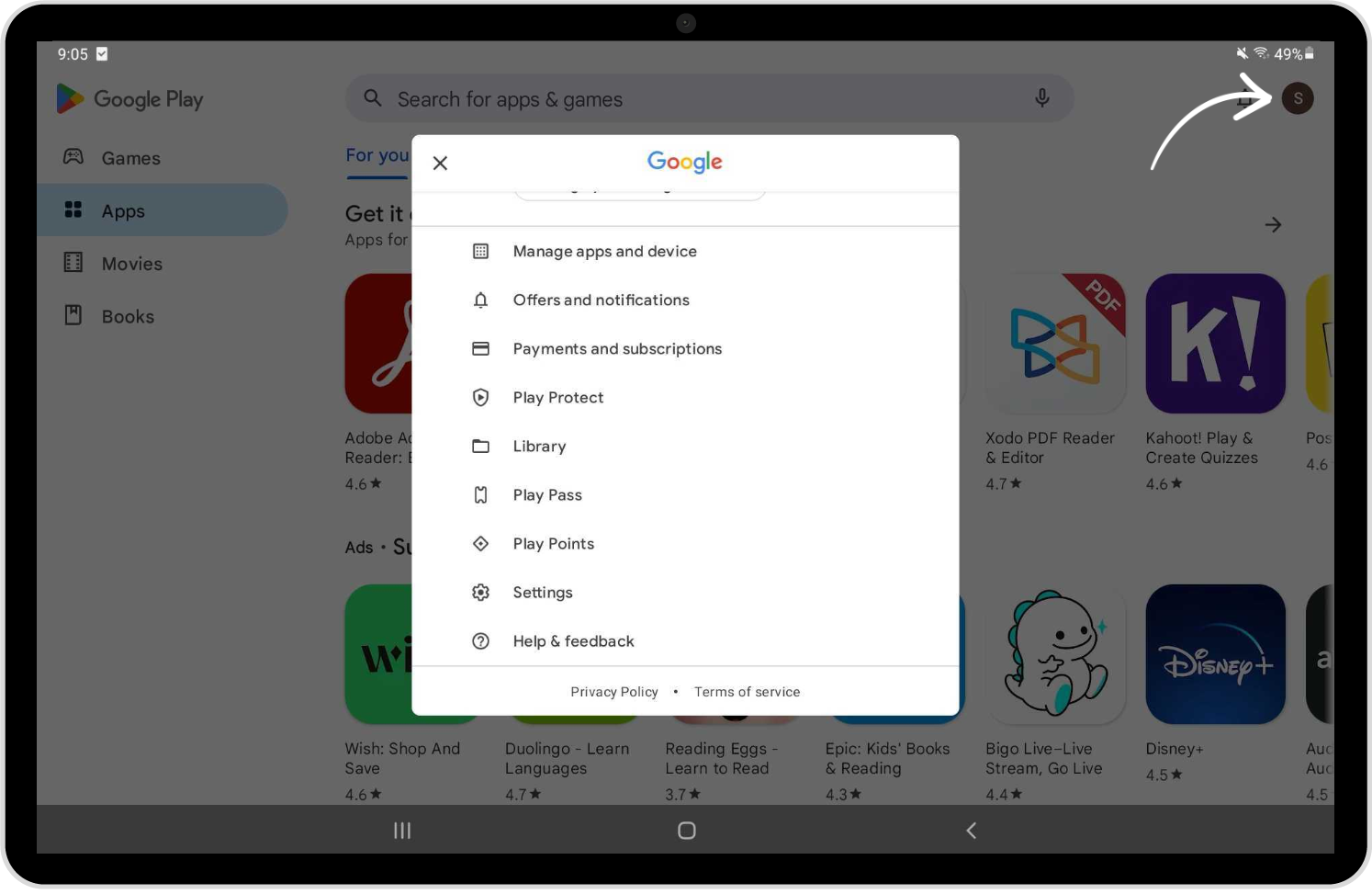
Tap on the profile icon in the top right corner of the page and select 'Settings'.
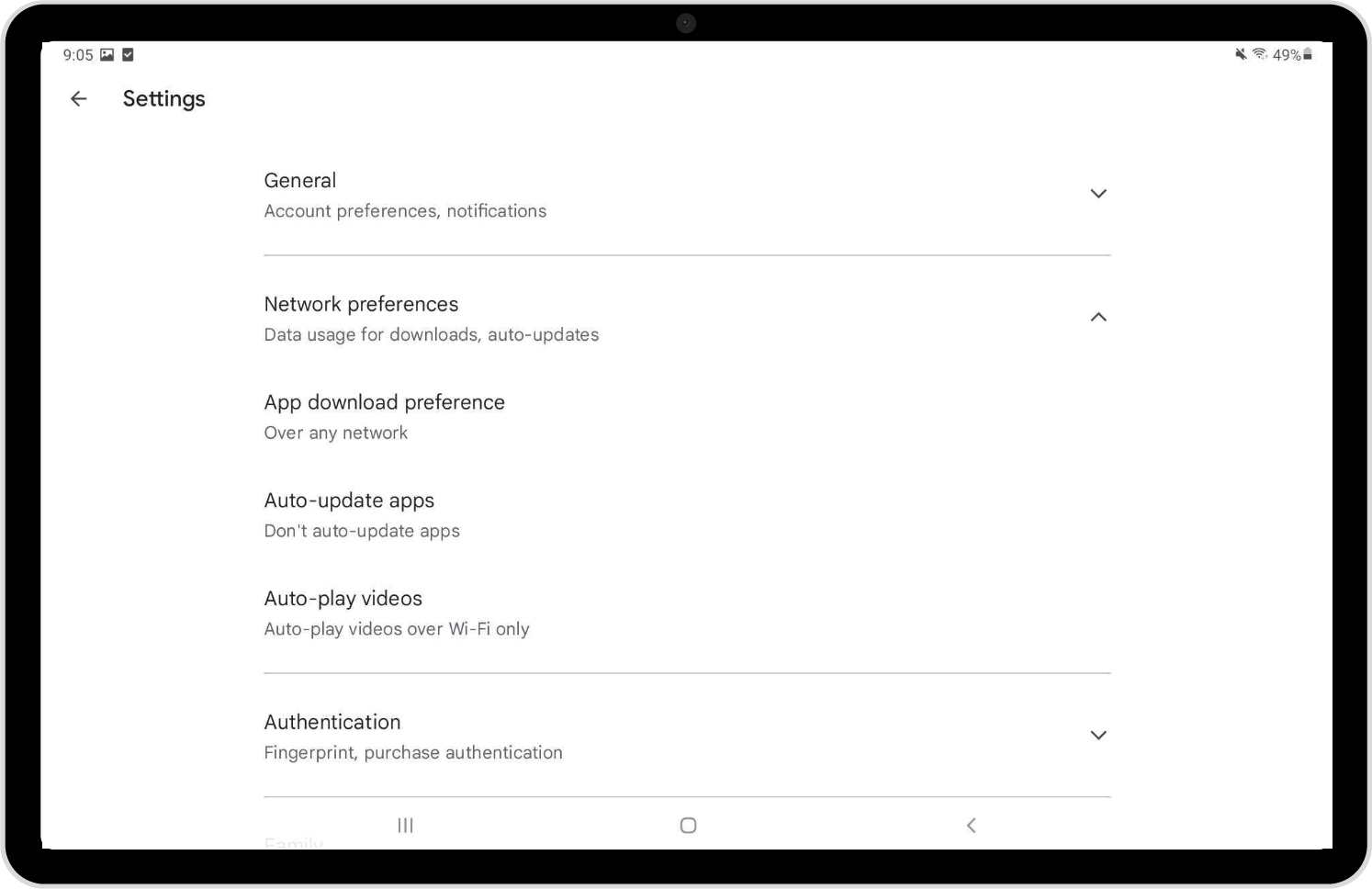
- Tap on 'Network preferences' and tap on the 'Auto-update apps' option.
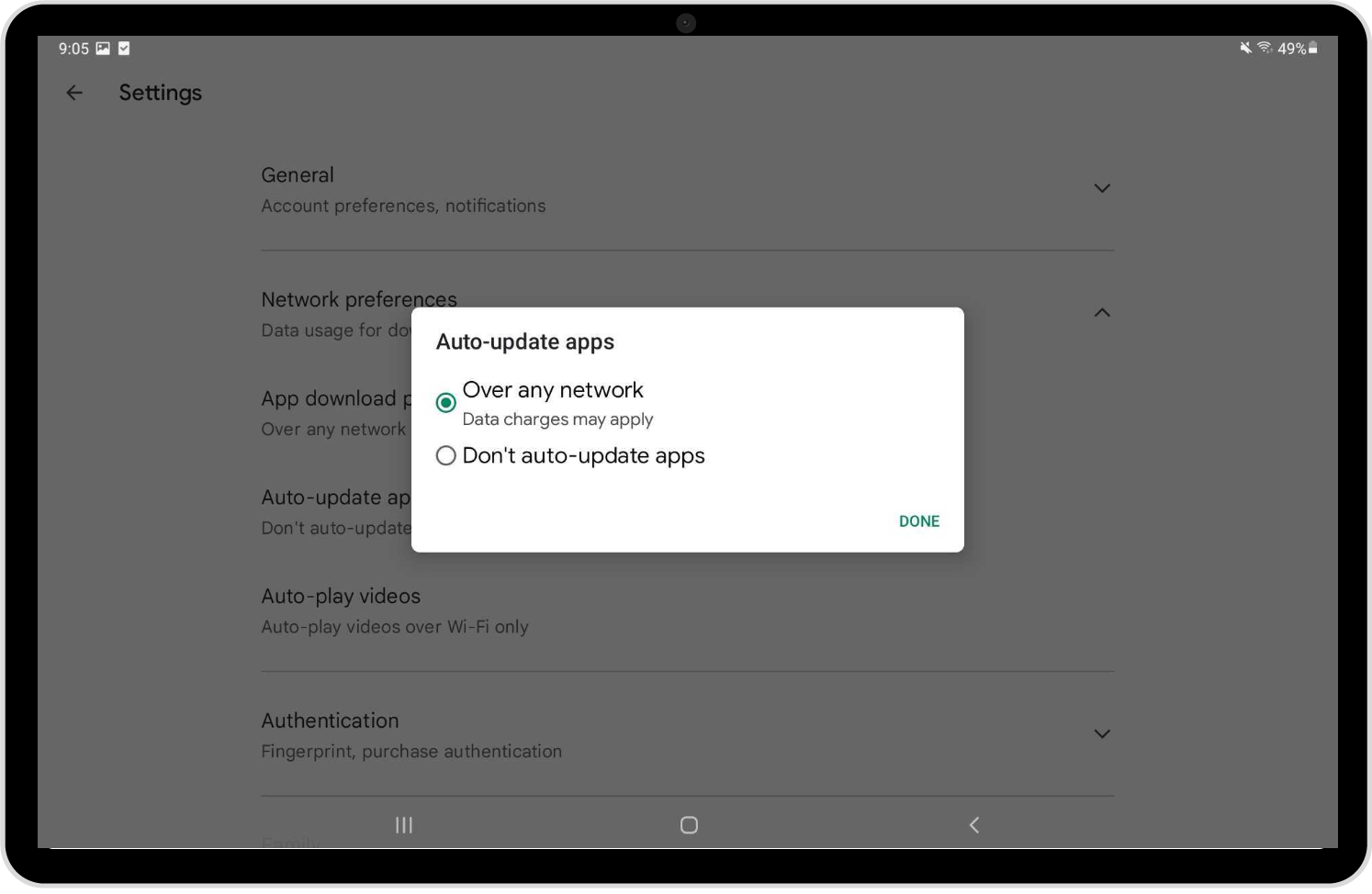
- A pop-up will display, select the option 'Over any network' and tap 'Done'.