![swipedon-orange.png]](https://www.swipedon.com/hs-fs/hubfs/swipedon-orange.png?height=40&name=swipedon-orange.png)
How to apply the SwipedOn update
-
On the iPad, navigate to the Apple app store.
-4.png)
-
Tap on 'Search' and type in SwipedOn, tapping on 'SwipedOn | Visitor Management'.
-
Tap on the 'Update' button, wait for this to apply and then tap 'open' to relaunch the app.

How to enable auto-updates
-
On the iPad navigate to the Settings icon.

-
Within the settings, scroll down to the iTunes & App Store.
-Nov-04-2021-04-03-08-04-AM.png)
-
Enable automatic updates by sliding the toggle to the right.
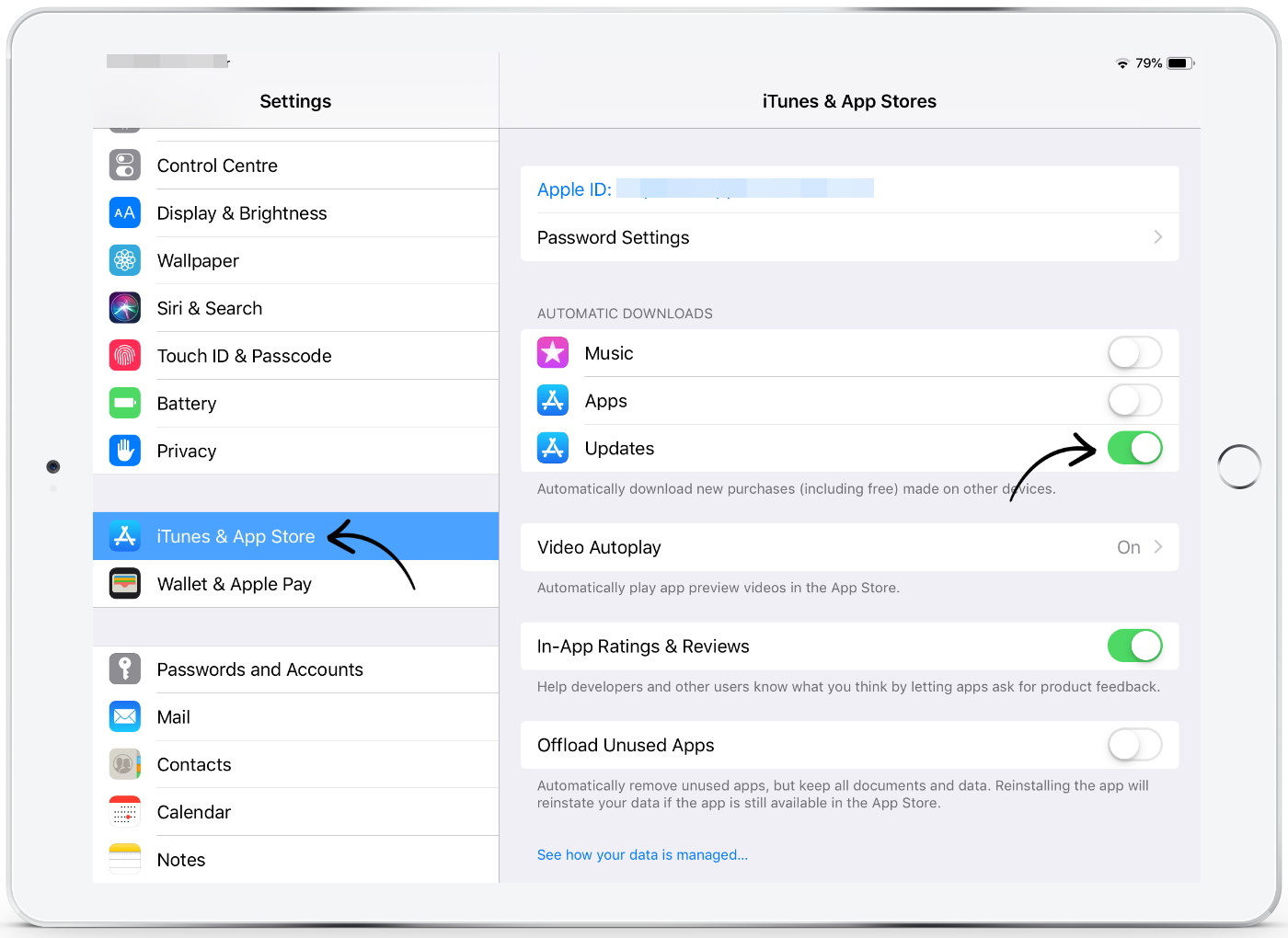
Once enabled, when a new version of the SwipedOn app is released, the iPad will seamlessly download and install the update automatically.